

CCleaner 7.12.1526
CCleaner is a free, easy-to-use PC cleaner that wipes temp files, browser cache, and junk to speed up Windows. It also manages startup programs, uninstalls apps, and finds duplicates, with the latest 2026 versions adding Easy Clean mode and Microsoft Store availability. It won't replace antivirus, and past security incidents mean you should keep it updated. Windows has decent built-in tools, but for a quick one-click cleanup, CCleaner still gets the job done.
- Free
- Windows
- Nov 4, 2026
Screenshots
About CCleaner
CCleaner Download | Clean Junk Files & Fix Registry Issues
TL;DR Quick Take / Who is this for?
CCleaner is a Windows system optimisation tool that removes temporary files, browser cache, cookies, and other digital clutter to free up disk space and improve privacy on shared PCs. The free version handles basic cleaning well, while the Professional tier (from $39.95 per year) adds automatic cleaning, driver updates, and scheduled maintenance. Version 7.13, released in October 2026, is the current build, but the Version 7 interface launched in late 2025 has been widely criticised for excessive simplification and bugs. The software is genuinely easy to use and can reclaim meaningful storage on machines that have not been cleaned in years. However, modern Windows already includes Storage Sense and built-in cleanup tools that cover most everyday needs, and CCleaner’s registry cleaning feature is something Microsoft explicitly advises against. The tool also carries a complicated security history: a 2017 supply-chain attack infected 2.27 million devices, and fake CCleaner download sites continued to distribute malware in 2026. CCleaner is the right pick for users who want a single, simple interface for routine cleanup and are willing to decline bundled offers during installation. It is not the best choice for privacy-focused users, anyone who expects dramatic performance gains, or users who prefer open-source alternatives like BleachBit.
Quick Info Box
| License Type | Freemium (Free tier; Pro from $39.95/year, Premium from $64.95/year) |
|---|---|
| File Size | About 1.7 MB (web installer); offline package roughly 135 MB |
| OS Compatibility | Windows 7, 8, 10, 11 |
| Latest Version | 7.13 (released 21 October 2026) |
| Developer | Piriform Ltd. (owned by Gen Digital, formerly Avast) |
Key Features & Real-World Usability
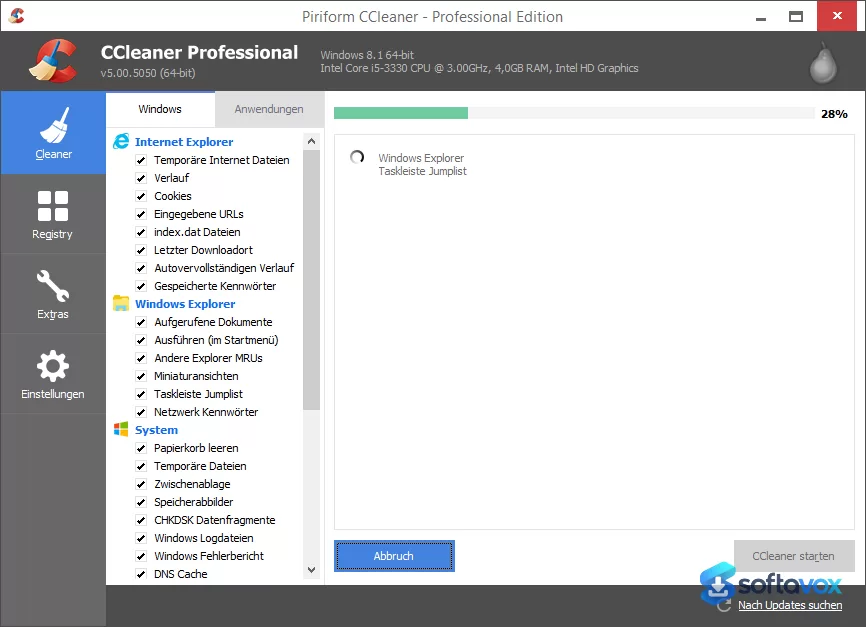
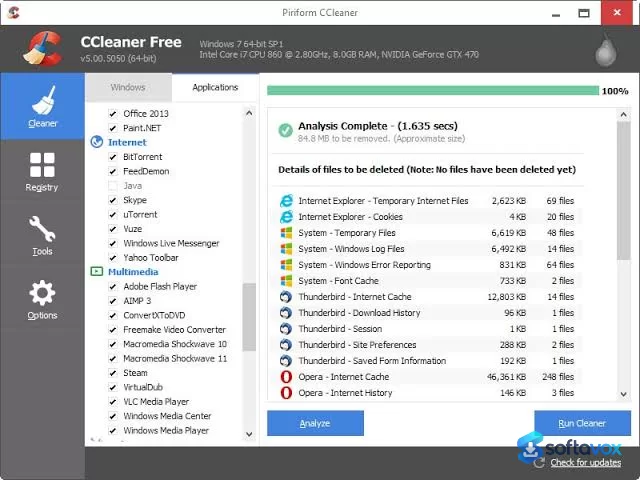
CCleaner’s core function is straightforward: it scans selected areas of your PC, temporary files, browser caches, cookies, log files, and recycle bin contents, and removes what it finds. The interface presents these categories as checkboxes, so you can choose what to clean and what to preserve, such as login cookies for sites you visit frequently. The free version covers this basic cleaning and also includes a startup manager for disabling unnecessary launch items. The paid tiers expand the scope considerably. Professional adds automatic background cleaning, scheduled maintenance, a driver updater, and priority support. Premium bundles additional Gen Digital products including a VPN and the Recuva file recovery tool. The latest builds also include cloud cleaning for Google Drive and OneDrive, a performance optimiser that puts background apps to sleep, and a software updater that patches outdated applications. In practice, the cleaning works, but the benefits are modest on a well-maintained Windows 10 or 11 machine. Windows Storage Sense and Disk Cleanup already handle temporary files, and the performance gains from registry cleaning are largely theoretical, Microsoft warns that registry cleaners can cause stability problems. The Version 7 interface has drawn consistent criticism for replacing the older, information-dense layout with large tiles that some users find harder to navigate, and multiple reviewers report bugs including driver updater failures and system instability after cleaning. The installer also continues to offer bundled software, and users must pay attention during setup to avoid installing unwanted components.
- Junk file cleaning: Removes temporary files, cache, logs, and recycle bin contents to free disk space, with checkbox control over what gets deleted.
- Browser privacy cleaning: Clears history, cookies, and cache across major browsers, with the option to keep login cookies for selected sites.
- Startup manager: Disables unnecessary programs that launch at boot, which can reduce startup time on older machines.
- Driver updater (paid): Scans for outdated drivers and offers updates, though user reports describe this feature as unreliable in Version 7.
- Automatic cleaning and scheduling (paid): Runs cleaning tasks in the background or on a schedule without manual intervention.
- Cloud cleaning (paid): Scans Google Drive and OneDrive for duplicate or large files to help reclaim cloud storage.
- Performance optimiser (paid): Puts selected background applications to sleep to reduce resource usage.
- Software updater (paid): Detects outdated applications and installs available updates to close security gaps.
Pros, Cons & Community/User Feedback
User sentiment around CCleaner is sharply divided, and the division is informative. On Snapfiles, the tool holds a 4.2 average from 74 reviews, with 56 five-star ratings and only 3 one-star ratings, and many reviewers praise its cleaning effectiveness and ease of use. One long-term Trustpilot reviewer with a Professional membership described the software as making PC management “so much easier,” citing browser cleaning, driver updates, and software updates as core reasons for staying. However, the negative reviews tell a consistent story about Version 7. A Trustpilot reviewer reported that Version 7 installed without permission, then caused daily blue screens and repeatedly installed old drivers over current ones. Another described desktop icons breaking and the program feeling “unstable/fragile” after the update. Reddit sentiment is even more skeptical: one widely echoed comment calls CCleaner “snakeoil” and an “unnecessary tool,” while another notes that the constant update reminders only serve to push users toward paid upgrades. Security concerns also persist. The 2017 supply-chain attack that distributed malware to 2.27 million machines remains the most serious incident in the tool’s history, and in 2026 security researchers identified fake CCleaner download sites distributing Chrome spyware and credential-stealing malware. Gen Digital, the current owner, has faced regulatory scrutiny over data practices, including a $16.5 million FTC settlement with Avast in 2024. The practical takeaway is that CCleaner still performs basic cleaning reliably for many users, but Version 7 has introduced genuine stability problems for a meaningful subset of them, and the software’s security and privacy reputation is not clean. Users who stay on the free tier and clean manually tend to be satisfied; users who pay for Pro or rely on the driver updater are more likely to report frustration.
Pros
- Simple, one-click cleaning for temporary files, browser cache, and cookies
- Frees meaningful disk space on machines that have not been cleaned in years
- Startup manager helps reduce boot time on older hardware
- Paid tiers add automatic cleaning, driver updates, and software updates
- Available in a portable offline version without advertising
- Long-standing brand with a large user base and extensive documentation
- Free tier remains functional for basic manual cleaning
Cons
- Version 7 interface is widely criticised as oversimplified, buggy, and harder to navigate than previous versions
- Users report blue screens, broken desktop icons, and forced driver rollbacks after updating to Version 7
- Driver updater is described as unreliable by paying customers
- Installer offers bundled third-party software; users must decline optional components manually
- Registry cleaning is discouraged by Microsoft and offers little real performance benefit
- Security history includes a 2017 supply-chain attack and ongoing fake download sites in 2026
- Subscription model for Pro and Premium tiers, with no perpetual licence option
- Most features duplicate built-in Windows tools like Storage Sense and Disk Cleanup
Final Verdict & Safe Download Advice
CCleaner remains a usable basic cleaning tool, but it is no longer the indispensable utility it once was. The free version can reclaim disk space and clear browser traces, and the startup manager is genuinely helpful on older machines. The paid tiers add convenience features like automatic cleaning and driver updates, but the Version 7 rollout has been rocky, and paying customers are the ones reporting the most serious stability problems. The security and privacy record is a separate concern: the 2017 breach was a watershed moment, and the persistence of fake download sites in 2026 means users must be more careful than ever about where they get the installer. If you need occasional manual cleaning on a Windows PC and you are comfortable declining bundled offers, the free version is adequate. If you want a cleaner that respects privacy and avoids subscription pressure, open-source alternatives like BleachBit are a better fit. If you are already on a paid CCleaner plan and Version 7 is working for you, there is no urgent reason to change, but keep backups and be prepared to roll back if an update introduces instability.
- Download only from ccleaner.com: Fake CCleaner download sites have been actively distributing malware in 2026, including spyware that hijacks Chrome and records keystrokes. The official domain is the only trustworthy source for the installer.
- Verify the installer size and version: The web installer is roughly 1.7 MB, while the full offline package is around 135 MB. The current version is 7.13. A dramatically different file size or an older version number is a warning sign.
- Decline bundled offers during installation: The installer may offer Avast antivirus, Secure Browser, or other Gen Digital products. Deselect anything you did not intend to install, and read each screen rather than clicking through automatically.
- Avoid installing Version 7 if you rely on a stable setup: Multiple users report blue screens and driver issues after upgrading from older versions. If your current build works, consider delaying the update until the Version 7 issues are resolved.
- Do not use the registry cleaner: Microsoft explicitly advises against registry cleaning, and the performance benefits are negligible compared with the risk of destabilising the system.
- Keep backups before running any cleaning operation: CCleaner deletes files permanently. Ensure important data is backed up elsewhere, and use the analyse-first option to review what will be removed before confirming.
Similar software


Key features
- Junk file cleaning, removes temporary files, cache, logs, and recycle bin contents to free disk space
- Browser privacy cleaning, clears history, cookies, and cache; can keep login cookies for selected sites
- Startup manager, disables unnecessary launch programs to help reduce boot time on older PCs
- Automatic cleaning and scheduling (paid), runs cleanup in the background or on a schedule
- Driver updater (paid), scans for outdated drivers and offers updates, though reports say it is unreliable in Version 7
- Software updater (paid), detects outdated apps and installs available updates
- Cloud cleaning (paid), scans Google Drive and OneDrive for duplicate or large files
- Performance optimiser (paid), puts selected background apps to sleep to reduce resource usage
- Portable offline version available, no advertising; web installer is ~1.7 MB, offline package ~135 MB
- Current version, CCleaner 7.13 (October 2026); Windows 7/8/10/11
Frequently asked questions about CCleaner
Is CCleaner free?
Is CCleaner safe to use?
What does CCleaner actually do?
Will CCleaner speed up my PC?
Does CCleaner remove viruses?
Should I use the registry cleaner?
What’s new in CCleaner 7.12.1526
v7.12.1526 (Sep 29, 2026)
The headline here is a new AI Tools category in Custom Clean. You can now scan and clean junk files from popular AI apps like ChatGPT, Claude, Cursor, Codex, Antigravity, Gemini, and LM Studio. Definitely a sign of the times. On the security side, they patched an issue found during an internal audit that could have allowed unauthorized file writes under certain conditions. Also fixed a startup crash that hit over 1,000 users, and improved how CCleaner handles Edge WebView2 runtime updates. App launch is now 3–6× faster, and launching CCleaner while it's already running just brings the existing window to the front instead of opening a duplicate. Smaller fixes: Performance Optimizer no longer mislabels WSL Service as "Microsoft GameInput," Startup Manager shows correct program names again, and your chosen landing page is actually respected now instead of defaulting to Health Check.
Versions
| Version | Release date | Platform | File size | |
|---|---|---|---|---|
| CCleaner 7.12.1526 Latest version | Sep 26, 2026 | Windows | 1.7 MB | Download |
Comments about CCleaner
No comments yet. Share your experience with this program!